ATS-Friendly Resume: How to Make One That Actually Gets Read (2026)
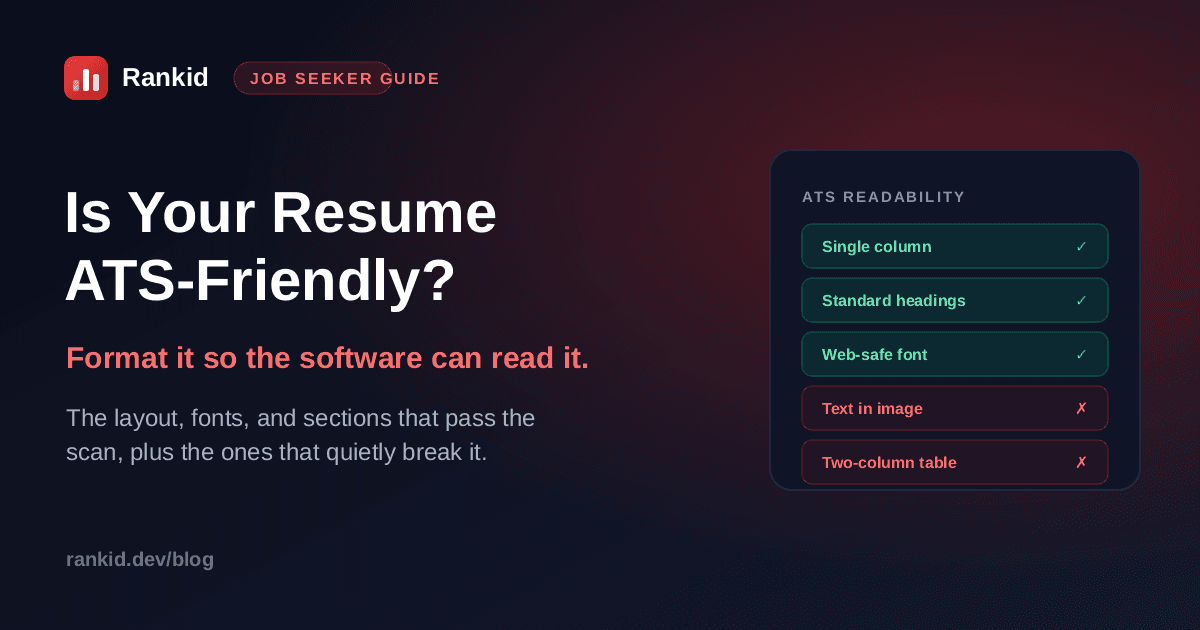
You spent hours on your resume. The layout is sharp, the columns line up, there is a tidy little chart rating your skills. Then you apply, and nothing. The problem may not be your experience at all. Before a recruiter ever sees it, your resume is fed through software that tries to read it as plain text, and if your design confuses that software, your best qualifications get scrambled or dropped. A resume that looks great to you can be unreadable to the system deciding whether you move forward. Here is exactly what makes a resume ATS-friendly, and how to fix yours.
Quick answer
What is an ATS-friendly resume?
An applicant tracking system (ATS) is the software employers use to collect, read, and rank applications. When you submit a resume, it does not read it the way you do. It strips your file down to text, tries to label each part (this is the name, this is a job title, these are skills), and stores the result so it can be searched and scored against the role. An ATS-friendly resume is simply one built so that stripping-down step works perfectly, with nothing lost or jumbled.
That is the whole game. When the structure is simple and predictable, the parser captures every skill, title, and date you wrote, and you get ranked on your real qualifications. When the structure is fancy, the parser guesses, and its guesses cost you credit for experience you clearly have. This is the same machinery behind AI resume screening and a big part of why resumes get auto-rejected.
ATS-friendly is about structure, not looks
Why an ATS-friendly format decides whether you get seen
Most mid-size and large employers run applications through an ATS before a person reviews anything. If the parser mangles your resume, two bad things happen at once. First, your skills and titles may be filed under the wrong fields or not captured at all, so a recruiter searching for a keyword you actually have never finds you. Second, if the system scores your match to the role, garbled text means a low score, and you sink in the ranking before a human is ever involved.
The cruel part is that this is invisible. You do not get a message saying “your two columns confused our parser.” You just hear nothing. That is why understanding what the software can and cannot read is worth ten polished design tweaks.
The ATS-friendly resume format, line by line
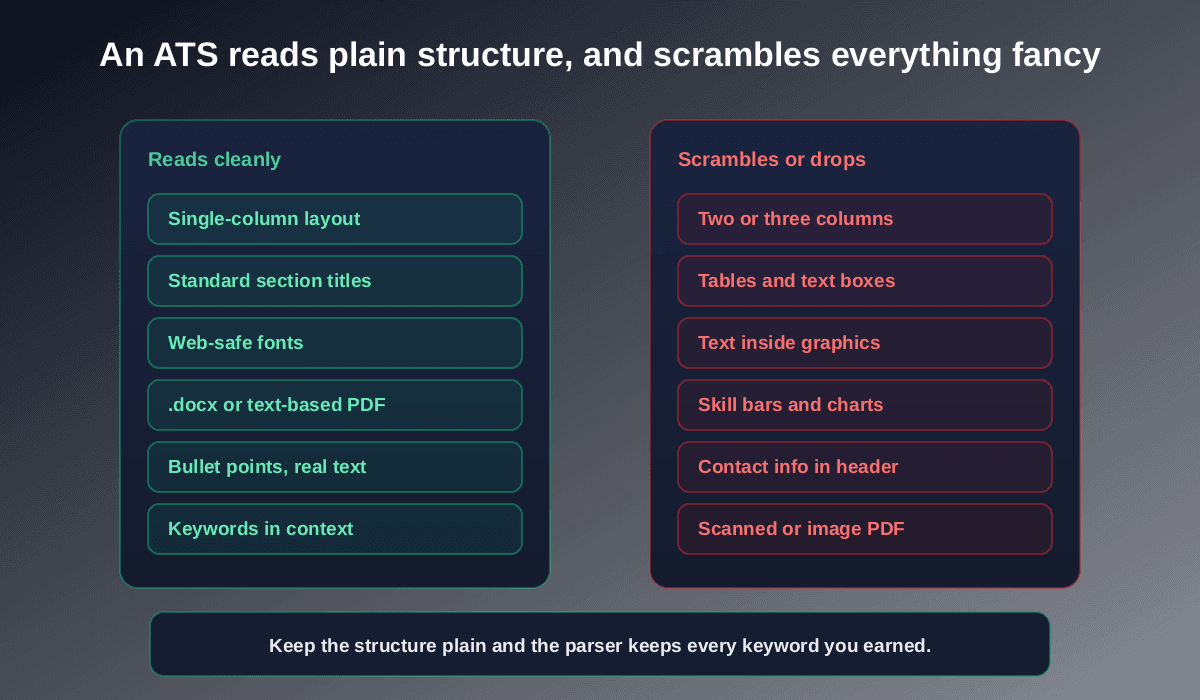
Here is what an ATS reads cleanly. Build your resume on these and the parser captures everything you intended:
- One single column. The most important rule. Parsers read top to bottom; multiple columns get interleaved and scrambled. Stack your sections in one column instead.
- Standard section headings. Use plain labels the system expects: “Work Experience,” “Education,” “Skills,” “Summary.” Clever titles like “Where I've Made an Impact” can stop the parser from recognizing the section at all.
- A web-safe font. Arial, Calibri, Helvetica, Georgia, Garamond, or Times New Roman, at 10 to 12 point body text. Decorative or downloaded fonts can render as gibberish when parsed.
- Real, selectable text. If you can highlight it with your cursor, the ATS can read it. If it is baked into an image or a logo, it is invisible to the software.
- A text-based file. A .docx or a text PDF, never a scanned image or a screenshot of your resume. Follow the format the posting requests if it names one.
- Simple bullet points. Standard round or square bullets and plain text. Skip tables, text boxes, columns, and multi-level graphics to organize content.
- Reverse-chronological order. Most recent role first. It is the format parsers handle most reliably and recruiters expect.
Keep contact details out of the header and footer
The design choices that quietly break ATS parsing
These are the elements that look impressive in a template gallery and then fall apart the moment the software reads them. If your resume has any of these, that is the first thing to fix:
- Two or three columns. The single biggest cause of scrambled resumes. What reads cleanly to your eye gets zig-zagged into nonsense by a left-to-right parser.
- Tables and text boxes. Content trapped in a table cell or floating box often gets read out of order or skipped.
- Skill bars, rating dots, and charts.A graphic showing “Python 90%” carries zero readable text. The parser sees a picture, not the skill.
- Text saved inside images or icons. Logos and infographics are invisible to the parser. Any words inside them are lost.
- Scanned or image-only PDFs. A photo of a resume has no text layer at all, so the ATS extracts nothing.
- Nonstandard or decorative fonts. Display fonts can map to the wrong characters when parsed, turning clean words into junk.
How to make your resume ATS-friendly in four steps
You do not need to start over. Most resumes become ATS-friendly with a layout reset and a keyword check. Here is the order to do it in:
Flatten the layout to a single column
Move everything into one column, top to bottom. Replace any tables, text boxes, or side panels with plain stacked sections. Delete skill bars and rating graphics and list those skills as text instead. This one change fixes the majority of parsing failures.
Use standard headings and a clean font
Rename sections to the plain labels parsers expect (“Work Experience,” “Skills,” “Education”), set the whole document in one web-safe font, and move your contact details out of the header into the top of the body. Keep formatting to bold and standard bullets, nothing exotic.
Put the right keywords in, in context
A clean format gets your resume read; the right keywords get it ranked. Pull the real skills, tools, and the job title from the posting and make sure your resume uses those exact words where they are true of you, backed by evidence in your bullets. We cover this in depth in how to find and use resume keywords and how to tailor your resume to a job description.
Test that it actually parses, before you apply
This is the step almost everyone skips. Run your resume against the specific job description and see what the software extracts and how well it matches. If skills you listed do not show up, your format is still eating them. Confirm a clean parse and a strong match first, then submit with confidence instead of hope.
Check if your resume is ATS-friendly, free
Paste a job description and upload your resume into Rankid. You'll get a 0 to 100 match score, the skills and keywords the parser actually read, and the requirements you're missing, so you can confirm it parses cleanly and close the gaps before you apply.
Check your resume freeATS myths that lead people astray
- “Submit a plain .txt file to be safe.” Unnecessary. A clean .docx or text PDF parses perfectly and looks professional to the human who reads it next.
- “An ATS auto-rejects you.”The software mostly parses, ranks, and surfaces. A low ranking from a mangled resume is what buries you, not a hard “reject” button.
- “Hide keywords in white text to game it.” This backfires. Recruiters and modern systems catch it, and it collapses the moment a human reads the page.
- “One resume works for every job.” Each posting weights different skills. The format can stay the same; the keywords should be re-checked per role.
Key takeaways
- An ATS-friendly resume is one the software can parse cleanly, so you get ranked on your real qualifications.
- Use a single column, standard section headings, a web-safe font, and real selectable text in a .docx or text PDF.
- Avoid columns, tables, text boxes, skill-bar graphics, text inside images, and contact details in the header.
- Format gets your resume read; the right keywords in context get it ranked, so do both.
- Test that your resume actually parses against the job before applying, instead of assuming it does.
An ATS-friendly resume is not about gaming software or stripping out everything that makes your resume look good. It is about removing the structural traps that hide your real experience from the system deciding your application. Flatten the layout, use plain headings and fonts, place the right keywords in context, then run your next application through Rankid's free match check and confirm it reads clean before you hit submit.
Frequently asked questions
What is an ATS-friendly resume?
An ATS-friendly resume is one that an applicant tracking system can read and parse correctly. In practice that means a single-column layout, standard section headings like Experience and Skills, a common web-safe font, real selectable text instead of images, and a text-based file (.docx or a text PDF). When the structure is simple, the software extracts your skills, titles, and dates accurately and ranks you on what you actually wrote.
What file format is best for an ATS, PDF or Word?
A text-based PDF or a .docx file are both safe with almost every modern ATS, as long as the text is real and selectable, not a scanned image. If a job posting names a specific format, follow it. When in doubt, .docx is the most universally compatible. The thing that breaks parsing is not the extension, it is design choices like columns, tables, and text saved inside graphics.
What fonts are ATS-friendly?
Stick to common, web-safe fonts the parser already knows: Arial, Calibri, Helvetica, Garamond, Georgia, or Times New Roman. Use 10 to 12 point for body text and 14 to 16 point for headings. Decorative, condensed, or downloaded display fonts can render as garbled characters when the resume is parsed, so avoid them.
Do columns and tables hurt an ATS resume?
Often, yes. Many parsers read a page left to right, top to bottom, so a two-column layout or a table can interleave your content and scramble the meaning, or drop it entirely. Use a single-column layout, put each section in order, and rely on simple bullet points instead of tables or text boxes.
How do I know if my resume is ATS-friendly?
The fastest check is to run it against a real job description and see what the parser actually extracts and how well it matches. Rankid does this in seconds: paste the posting and upload your resume to get a 0 to 100 match score, the skills and keywords it read and matched, and the requirements you are missing, so you can confirm it parses cleanly before you apply.
Does an ATS-friendly resume have to look plain or ugly?
No. ATS-friendly means structurally simple, not unattractive. A clean single-column resume with clear headings, consistent spacing, and a readable font looks professional to a human and parses perfectly for the software. You give up multi-column collages and graphics, not good design.